LCD 16x2
16x2 Character Display
- Overview
- Commands
- Samples
- On-Module Code
A classic 16-character × 2-row character LCD, available in several backlight color options. Print text with simple text commands over any supported interface — no graphics library needed, just rows and columns of characters.
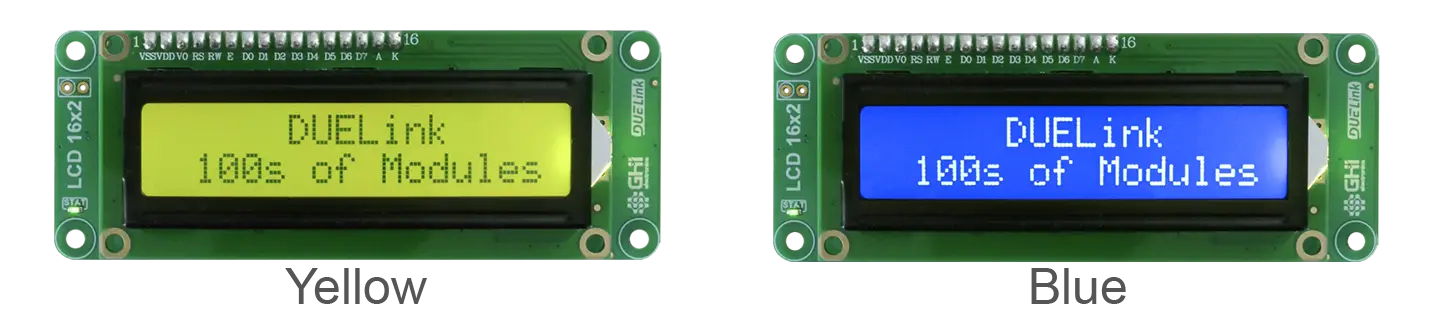
Common uses: HVAC controllers, vending machines, hobby instrument readouts, retro-style projects, and anywhere a small character display reads better than a graphical one.
Key features • 16 Characters by 2 rows | Resources PID: 0x010002 |
Modules ship without cables to reduce waste. Some specialty boards include a USB cable; for the rest, see Cables to add cables to your order.
Commands this module accepts. See Samples for runnable code in popular host languages.
| Function | Description |
|---|---|
Home() | Send cursor home. |
Clr() | Clear the display. |
CPos(c,r) | Sets the cursor position at c column and r row. |
CPrint(c) | Print an ASCII c character. |
CPrintS(str) | Print a string. |
DVer() | This driver version. |
Peek under the hood
The script below is this module's driver — it teaches the hardware how to respond to the commands listed above. It ships pre-loaded from the factory; most users never need to open it.
loading...
Example code that calls this module's commands from popular host languages.
New here? See Get Started to connect a module and send your first command.
- Python
- MicroPython
- JavaScript
- .NET
- Arduino
- MicroBlocks
loading...
loading...
loading...
loading...
loading...
This sample runs in MicroBlocks on a any host board that's connected/tethered to this module, or a chain of modules. This module keeps its official DUELink firmware and module driver and responds to commands from the connected MicroBlocks-running host. New here? See the MicroBlocks page.
There are two ways to use it:
Open the full sample — the complete project (the module's library plus a ready-to-run example) opens directly on the MicroBlocks website.
Add just the libraries to your own project — copy the link, then in your MicroBlocks project click Add Library → Cloud and paste it. This loads this module's libraries into your project without replacing your current work.
Copy Library LinkCode that runs directly on this module's MCU. See how On-Module Code allows modules to run standalone.
- Script
- Arduino IDE
This example runs using the default DUELink Internal Engine using its Scripting Language, and it expects the module's driver to be loaded first, see the Commands Tab.
loading...
See Arduino IDE page for more info.
loading...
Ordering Info
| Product | Part Number | Price |
|---|---|---|
| DUELink LCD 16x2 (Yellow) | GDL-DSLCD16X2-C-Y | $19.95 |
| DUELink LCD 16x2 (Blue) | GDL-DSLCD16X2-C-B | $19.95 |