USB
All DUELink modules support USB. Some boards have a built-in USB connector; the rest use an adapter like USB Hook or USB Stick.
For first-time setup, see Get Started. This page covers the USB interface itself.
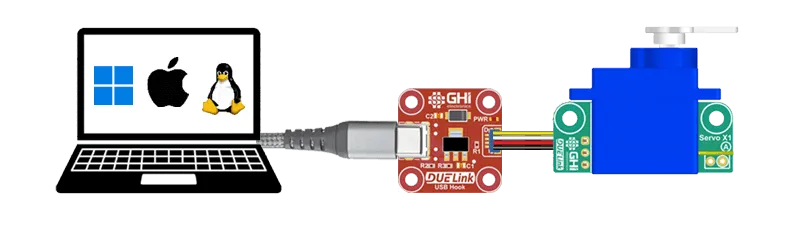
USB on DUELink modules is configured as the standard CDC class, so each module shows up as a virtual serial port on the connected host. No drivers are needed on modern Windows, macOS, Linux, or Android. Any of these can drive a Daisylink of modules using a host language.
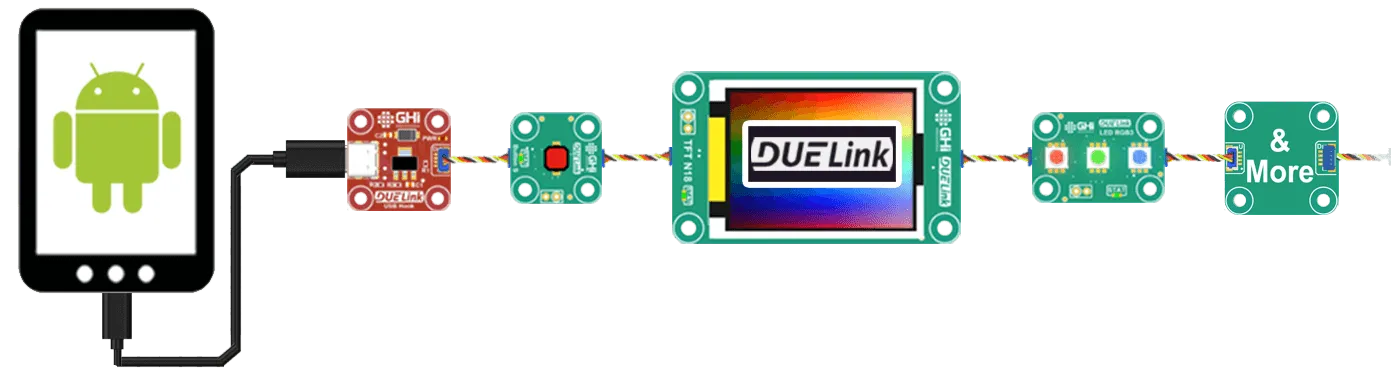
USB is the first choice when using the Console and the Demo Website.
On Linux, you may need to grant your user permission to access the serial port — see the notes and example script on the UART interface page.
Finding the port
Once plugged in, the module appears as:
- Windows:
COMx(check Device Manager → Ports) - macOS:
/dev/cu.usbmodem... - Linux:
/dev/ttyACM0(or similar)
Not sure which port belongs to your module? loader.duelink.com/discover queries everything on the bus and tells you what it finds.
Keyboard and mouse emulation
Turn a DUELink module into a programmable keyboard or mouse — useful for automation and accessibility devices.
The USB connection is actually a composite device: CDC (virtual serial) for commands, plus HID (Human Interface Device) for keyboard and mouse reports. A connected computer or phone sees Serial, Keyboard, and Mouse devices on the same USB cable, regardless of OS.
The virtual serial side talks to the engine — same as every other interface. The HID side sends keystrokes and mouse movements via the Hid(type, [data]) function:
type1 = Keyboardtype2 = Mouse
The [data] array depends on which type you chose.
Mouse data:
| Data | Use |
|---|---|
| Byte 0 | Buttons (bitmask: Left=1, Right=2, Middle=4) |
| Byte 1-2 | X movement (signed int16) |
| Byte 3-4 | Y movement (signed int16) |
| Byte 5 | Wheel (signed int8) |
| Byte 6 | Pan (signed int8) |
Keyboard data:
| Data | Use |
|---|---|
| Byte 0 | Modifier keys (e.g., Ctrl, Shift) |
| Byte 1 | Reserved (always 0) |
| Bytes 2-7 | Keycodes for up to 6 simultaneous key presses |
| Modifier key | Value |
|---|---|
| Left Ctrl | 0x01 |
| Left Shift | 0x02 |
| Left Alt | 0x04 |
| Left GUI (Win / Cmd) | 0x08 |
| Right Ctrl | 0x10 |
| Right Shift | 0x20 |
| Right Alt | 0x40 |
| Right GUI (Win / Cmd) | 0x80 |
USB keyboard keycodes are listed in the USB HID Usage Tables and in community references like this gist.
For example, the codes for G, H, and I are 0x0A, 0x0B, and 0x0C respectively.
The example below reads touch pads on a DUELink module and sends their status as keyboard arrow-key presses. This script runs on the module itself via the Console:
Asio(1) # Enable Asynchronous Commands
dim b1[8] # keyboard need 8 bytes for one report

_p = 0 # press status
_s = 0 # backup status

while (1)
    if (TouchUp())
        b1[2] = 0x52
        _p = 1
    end
    if (TouchDown())
        b1[2] = 0x51
        _p = 1
    end
    if (TouchLeft())
        b1[2] = 0x50
        _p = 1
    end
    if (TouchRight())
        b1[2] = 0x4F
        _p = 1
    end
    if _p != _s
        if _p = 1
            hid(1,b1) # send key
        else
            hid(1,[0,0,0,0,0,0,0,0]) # release
        end
        _s = _p
    end
    _p = 0 # reset press status
wend