Chain Modules
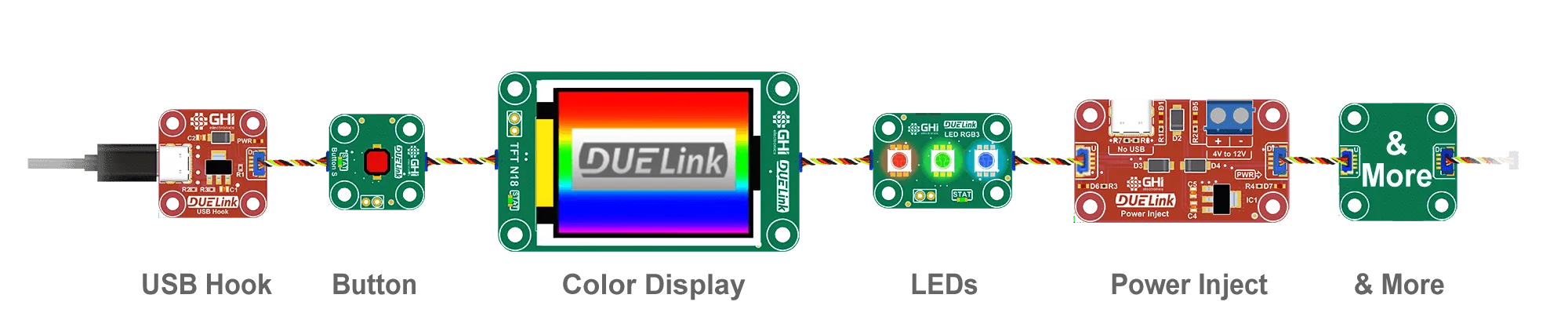
One host. One cable. Many modules.
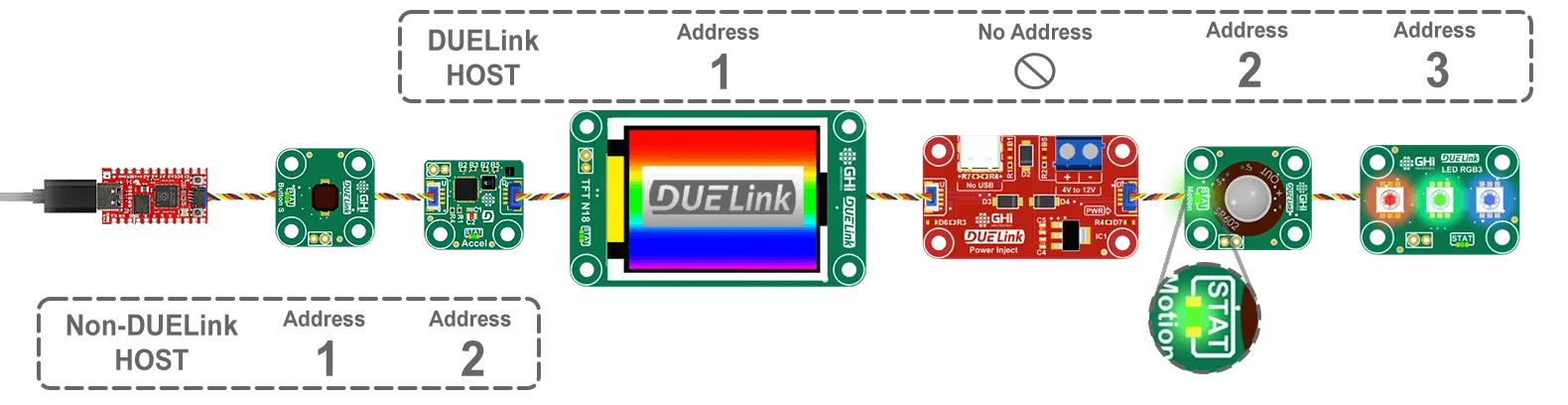
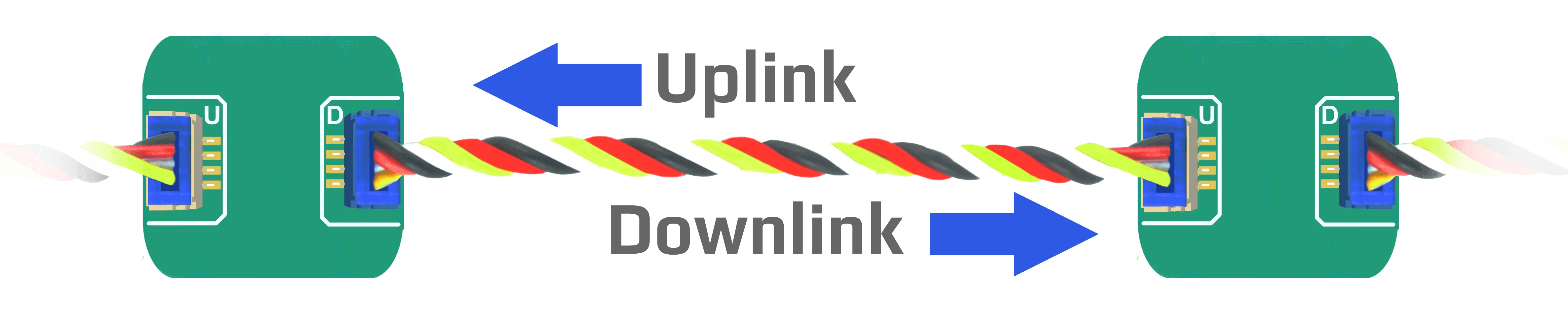
DUELink modules have two connectors — Uplink (white) for the incoming cable and Downlink (blue) for the next module. Plug them end-to-end and every module hears the same command stream from the host.
Talk to a specific module
Each module gets a number in the chain — the first is 1, the next is 2, and so on. Use Sel(N) to choose which one your next command goes to.
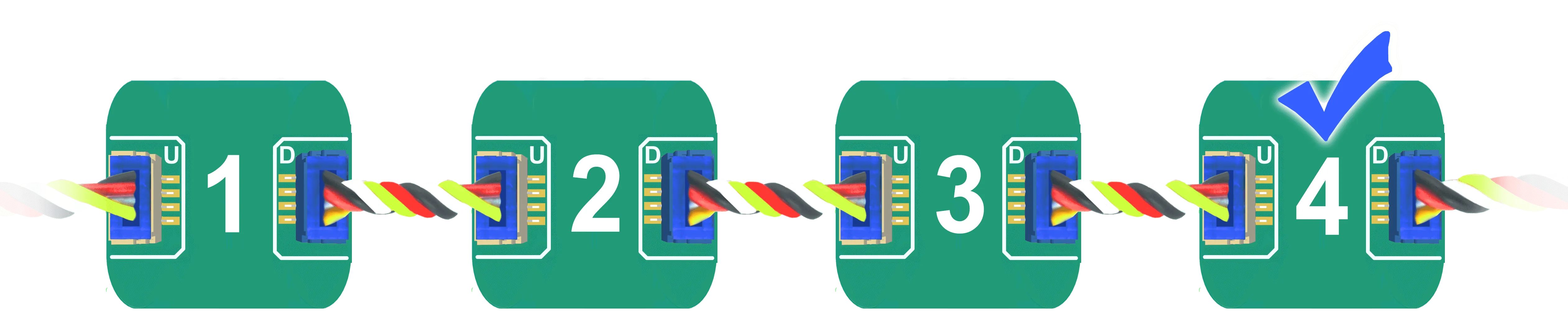
The demo below assumes you have at least two modules chained together. It selects the second module and blinks its STAT LED faster than normal (100ms on / 100ms off, 50 times) so you can see the difference. Send Sel(1) to switch back to the first.
- Python
- JavaScript
- .NET
- Arduino
- MicroPython
from DUELink.DUELinkController import DUELinkController

availablePort = DUELinkController.GetConnectionPort()
duelink = DUELinkController(availablePort)

# Select the second module in the chain
duelink.Engine.ExecuteCommand("Sel(2)")
# Blink its STAT LED fast (on 100ms, off 100ms, 50 times)
duelink.Engine.ExecuteCommand("StatLed(100,100,50)")
You need pip install DUELink.
import pkg_serialusb from 'dlserialusb';
const {SerialUSB} = pkg_serialusb

import pkg_duelink from 'duelink';
const {DUELinkController} = pkg_duelink

let duelink = new DUELinkController(new SerialUSB());
await duelink.Connect();

// Select the second module in the chain
await duelink.Engine.ExecuteCommand("Sel(2)");
// Blink its STAT LED fast (on 100ms, off 100ms, 50 times)
await duelink.Engine.ExecuteCommand("StatLed(100,100,50)");
You need npm install duelink and npm install dlserialusb.
using GHIElectronics.DUELink;

var availablePort = DUELinkController.GetConnectionPort();
var duelink = new DUELinkController(availablePort);

// Select the second module in the chain
duelink.Engine.ExecuteCommand("Sel(2)");
// Blink its STAT LED fast (on 100ms, off 100ms, 50 times)
duelink.Engine.ExecuteCommand("StatLed(100,100,50)");
You need the GHIElectronics.DUELink library from nuget.org.
#include <DUELink.h>

TwoWireTransport transport(Wire1);
DUELink duelink(transport);

void setup() {
  duelink.Connect();
  // Select the second module in the chain
  duelink.Engine.ExecuteCommand("Sel(2)");
  // Blink its STAT LED fast (on 100ms, off 100ms, 50 times)
  duelink.Engine.ExecuteCommand("StatLed(100,100,50)");
}

void loop(){
}
You need DUELink and STM32 MCU based boards packages. Full details are on the Arduino page.
import machine
import duelink
from duelink import transport

sclPIN = machine.Pin(23)
sdaPIN = machine.Pin(22)

i2c = transport.I2CTransportController(sda=sdaPIN, scl=sclPIN)
due = duelink.DUELinkController(i2c)

# Select the second module in the chain
due.Engine.ExecuteCommand("Sel(2)")
# Blink its STAT LED fast (on 100ms, off 100ms, 50 times)
due.Engine.ExecuteCommand("StatLed(100,100,50)")
You need to install duelink-stdlib-mp.
Mix with other ecosystems
DUELink uses the same JST SH-1.0mm connector and I2C wiring as SparkFun Qwiic, Adafruit STEMMA QT, and Arduino Modulino. You can drop any of those modules into the same chain — they share the bus and stay addressable from the same host. Seeed Studio Grove works too, with a JST adapter cable.
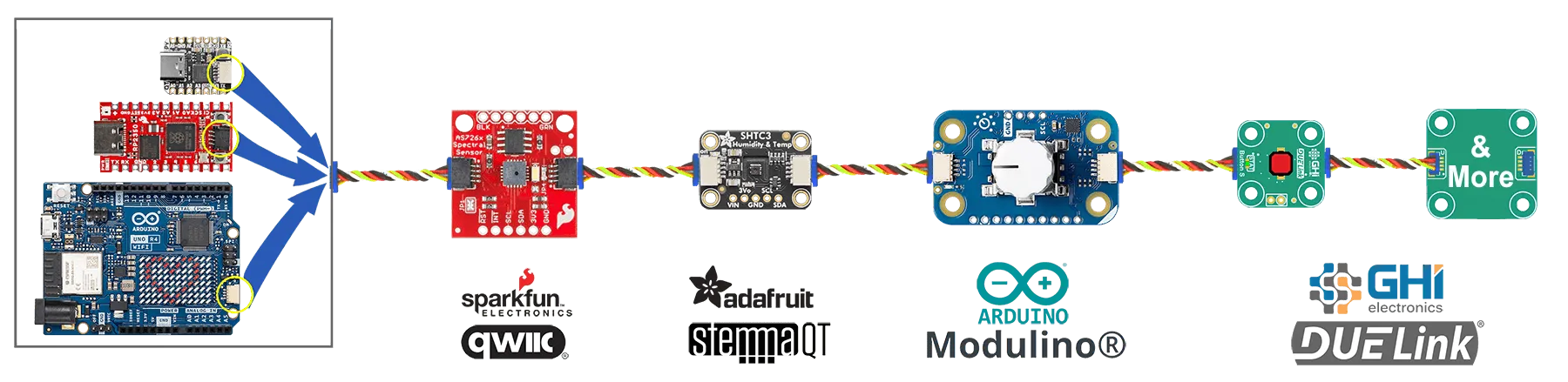
DUELink modules respond to text commands like RelayOn(2). Third-party I2C modules respond to their own raw I2C registers — you can drive both from one host program.
Powering long chains
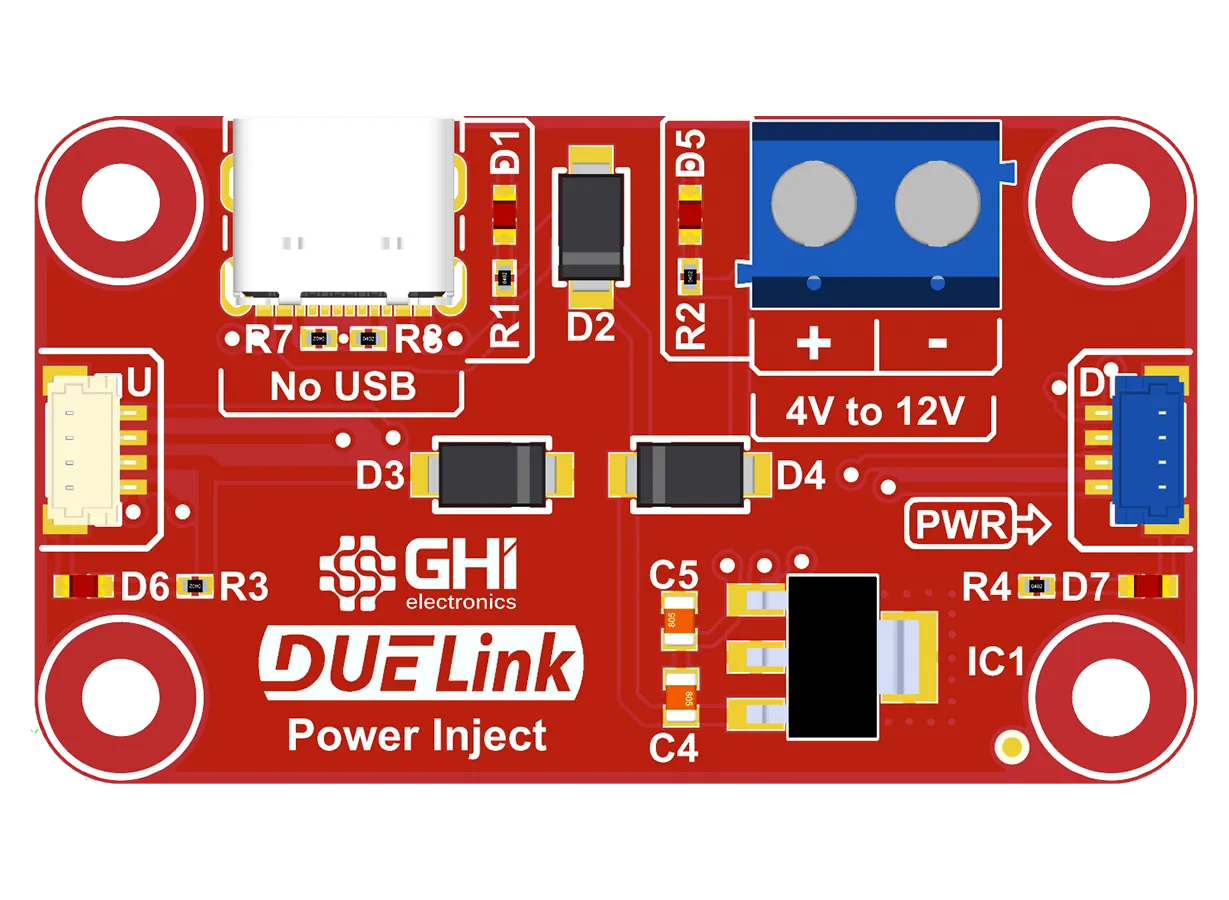
A USB port can comfortably power a handful of modules. For chains with motors, bright LEDs, or many modules, add a Power Inject adapter where the chain needs a fresh power source. The signal continues through it; the power doesn't have to come all the way from the host.
Advanced chaining
That's enough to build most projects. The full Daisylink reference covers broadcast nuances, device enumeration timing, Host Mode (where one module hosts its own sub-chain), and wireless chaining.